Wander, then settle.
The pet can roam, follow your cursor at a distance, and move between monitors. Toggle roaming whenever you want it to stay put.
A LITTLE COMPANY FOR YOUR CODING DAYS
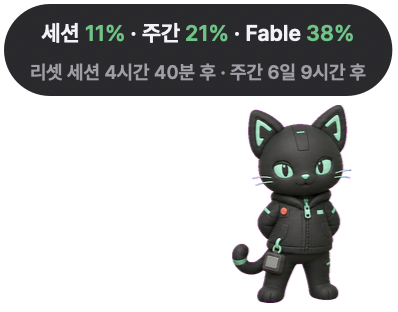
Meet Claude Pet: a desktop companion that keeps your Claude usage close. A little personality for your Mac or Windows PC.
Opens GitHub in a new tab. Sign in there to add your star.
Free to download. Source on GitHub. A Claude Code login gets you started.
Small presence.
A little more personality.
v0.24 app display example · existing app preview
01 / A GLANCE IS ENOUGH
Session, weekly and model usage share one compact pill, with reset times beneath. Available categories depend on your account.
Exact mode asks Anthropic for account usage using your existing Claude Code credential. If it is unavailable, local logs provide an estimate—not missing web or desktop activity.
TRY THE DISPLAY
Green numbers identify server-reported usage.
Interactive example styled after the v0.24 app, not live account data. The separate chevron folds the whole usage pill.
Cat
02 / YOUR KIND OF COMPANY
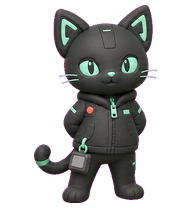
Pick a personality. The cat is built in; dog, fox, scorpion and elephant come bundled. Change your pet from the app’s right-click menu.
Have your own character? Compatible pet.json and sprite-sheet folders work too. See the setup guide below for folder locations.
DESIGNED TO KEEP YOU COMPANY
The pet can roam, follow your cursor at a distance, and move between monitors. Toggle roaming whenever you want it to stay put.
The pill tucks away while your companion moves. Drag the pet to a new spot, or adjust its size and display from the right-click menu.
A wave near your cursor. A reaction when a session reset is detected. Double-click for a jump and a usage refresh.
03 / FIND A HOME ON YOUR DESKTOP
Choose your platform. Python is included in the packaged app. Start by signing in to Claude Code on this computer.
Use the Apple Silicon DMG for M-series Macs. Choose the universal DMG for Intel. ZIP alternatives are on the release page.
Open the DMG, drag ClaudePet.app to Applications, then launch it. Mac downloads are Developer ID signed and Apple-notarized.
Allow access to the existing Claude Code credential when prompted. It may be in Keychain or the Claude Code credentials file. Right-click the pet for settings.
Run claude-pet-win-setup.exe for a per-user install with a Start Menu entry and optional start at sign-in. Or extract the ZIP and open ClaudePet/ClaudePet.exe.
Windows builds are unsigned. SmartScreen or another security warning may appear; behavior depends on your Windows settings and policies. Download from the project’s GitHub release and review the file before running it.
Sign in to Claude Code on Windows first. The app reads its credentials file at %USERPROFILE%/.claude/.credentials.json. Right-click the pet to configure it.
| Feature | macOS | Windows |
|---|---|---|
| OS | macOS 12 or later | Windows 10/11 (64-bit) |
| Chip | Apple Silicon and Intel (universal build) | x64 |
| Download |
ClaudePet.dmg
(Apple Silicon) ·
ClaudePet-universal.dmg
(Intel)
|
claude-pet-win-setup.exe
(installer) ·
claude-pet-win.zip
(portable)
|
| Signing | Developer ID signed, notarized by Apple | Unsigned; Windows security warnings may appear |
| Updates | Checks hourly after launch; checks and installs from the right-click menu | Check from the right-click menu; download the new installer from GitHub |
| Start at sign-in | System Settings → General → Login Items | Installer option “Start when I sign in” |
| Claude Code | Reads the Claude Code credential (Keychain or credentials file) | Reads the Claude Code credentials file |
| Pets |
Built-in cat + 4 bundled pets, plus your own in
~/.claude_pet/pets
|
Same, under
%USERPROFILE%\.claude_pet\pets
|
| Uninstall | Right-click → Uninstall completely… | Settings → Apps → Uninstall |
Yes. Claude Pet is free to download, with public source on GitHub. No particular software license is implied by source availability.
macOS 12 or later on Apple Silicon or Intel, or Windows 10/11 on x64. Sign in to Claude Code on that computer. Python is bundled with the packaged app.
Exact mode shows percentages and reset times returned by Anthropic using your existing Claude Code credential. Local fallback is an estimate of Claude Code logs; web and desktop activity absent from those logs is not included. Optional calibration applies to the estimate.
Exact mode sends your existing Claude Code credential to Anthropic to request account usage. Update checks and downloads contact GitHub. Local usage parsing happens on your computer; those usage and update paths do not upload prompts, transcripts or source code. The optional Admin API key is stored in plaintext in ~/.claude_pet.json (under your Windows user folder on Windows). That list covers the app. This website is separate: it uses Google Analytics to count visits.
Optional Admin API mode shows Anthropic Console organization costs, separately from subscription limits. This release tracks Claude; do not treat other AI services as supported.
On Mac, automatic checks begin one hour after launch and repeat hourly. The right-click menu can check and install a newer release. On Windows, use the right-click menu to check, then download the new installer from GitHub Releases.
MADE WITH CARE. SUPPORTED BY YOU.
Claude Pet is free to download. If it makes your desk a little better, optional sponsorship helps support development and maintenance.
Sponsor on GitHubOne-time or monthly, through GitHub Sponsors. Using the app never requires a sponsorship.
Claude Pet은 Claude 사용량을 작은 요약 필로 보여주는 무료 데스크톱 펫입니다. macOS 12 이상(Apple Silicon·Intel)과 Windows 10/11 x64를 지원해요. 고양이·강아지·여우·전갈·코끼리를 선택하고 화면 산책을 켜거나 끌 수 있습니다. Claude Code 로그인이 필요하며, 서버 사용률과 로컬 로그 추정치는 구분됩니다. Windows 배포본은 서명이 없어 보안 경고가 나타날 수 있어요. 운영체제별 설치 안내 · v0.24 배포 파일
This site uses Google Analytics cookies to count visits. Counting visits is required here and cannot be turned off. What we collect